How to get notified when someone looks at PDFs you sent.

Guide on How to get notified when someone looks at the PDFs you sent using BaseStation PDF open notification.
We often hear from our users that knowing when their viewers open the documents is crucial. It helps the sender determine when it’s time for a follow-up or, in the case of multiple opens, a quick check-in to address any potential confusion.
There aren’t any steps to take. Once you share a BaseStation document link, we'll notify you as soon as the viewer opens it.
The notification will include the document’s name and a link to the document itself.
Pro tip: If you name the document with the name of the recipient and the purpose of the document, it will help you make the most of the notification.

To be taken to the guided document editor, click the “View Document” button.
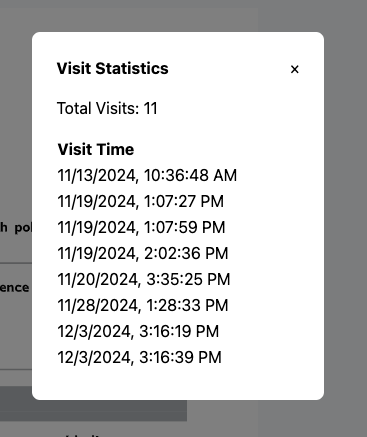
From there, you can click the “Stats” button in the top right corner.

A modal will appear showing the all the times someone opened and viewed the document.
Upload your form — let AI fill it out in seconds
Save time and reduce errors with BaseStation's AI-powered form filling.
Try BaseStation Free